
How to tell if a video is AI or real
AI videos look more real every month. A cute animal clip, a news moment, a “did that really happen?” stunt. No single trick catches all of them, but a few quick checks catch most. Here is what to look for.
A real Sift answer
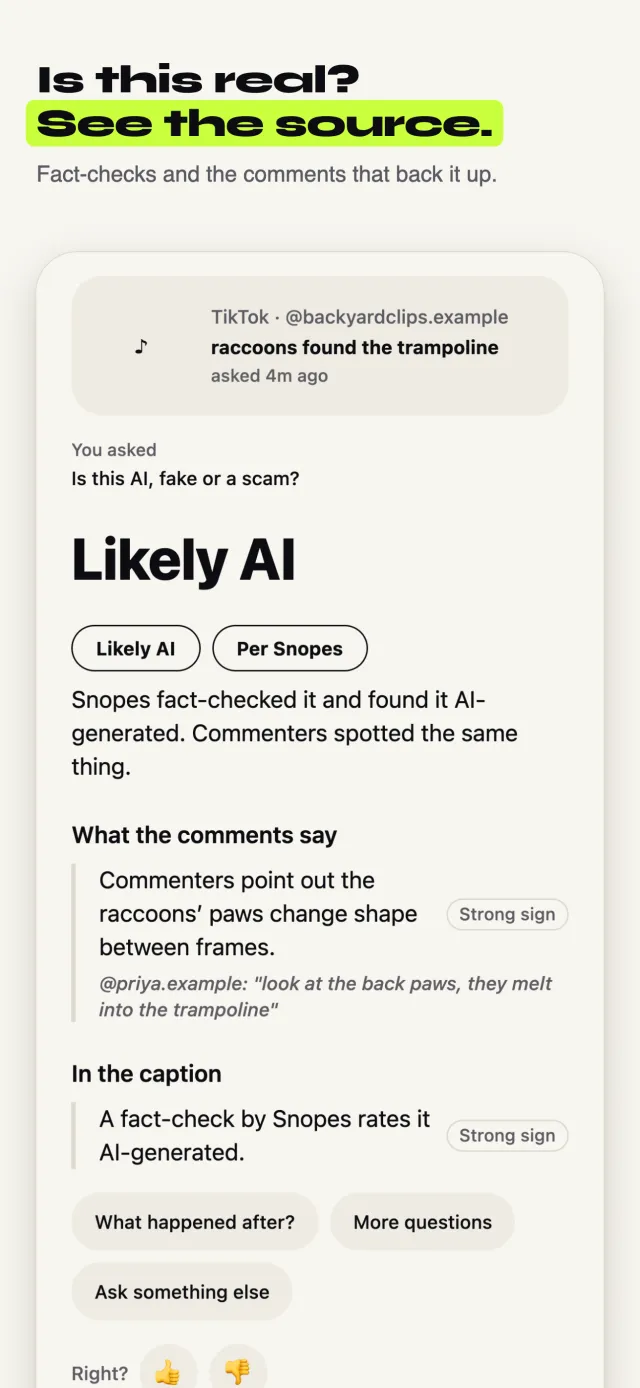
Is this real or AI? A viral TikTok of raccoons on a trampoline. Sift read 300 comments.
Likely AI
Snopes fact-checked it and found it AI-generated. Commenters spotted the same thing.
The fast way: ask Sift
Sift is an iPhone app that reads the comments for you. Free to try, no sign-up.
Tap Share on the TikTok, Instagram or YouTube
Use the normal Share button, the same one you use to send a post to a friend.
Pick Sift
The first time, swipe the row of apps to the end, tap More, and turn Sift on. After that it sits in your share row.
Tap “Is this real or AI?”
Sift offers the questions that fit the post. Tap one, or type your own.
Keep scrolling
Sift looks at the actual frames of the video, reads the comments, and checks fact-check sources. You get one notification with what it found and the sources behind it.
The free way, no app needed
It takes longer, but it works. Try these in order.
Watch it slowly
Pause and step through it. Look at hands, teeth, text on signs, and edges where things touch. AI often melts, bends or changes shape between frames.
Check the physics
Does water splash right? Do shadows match the light? Do things that fall keep falling the same way? AI gets small physics wrong.
Look for a label
TikTok, Instagram, Facebook and YouTube add an “AI-generated” or “altered or synthetic” label to some posts. Tap “more” under the caption to see it.
Search for a fact-check
Search what the video shows plus the word “fact check”. Snopes, AP and Reuters check viral videos often. Google Lens on a screenshot can find where it first came from.
Check the account
Open the creator's page. An account that only posts amazing clips that never happened anywhere else is a warning sign.
Good to know
- A real video usually shows up from more than one angle or more than one person.
- Too perfect is a clue: perfect timing, perfect lighting, perfect animals doing perfect tricks.
- Comments help, but people can be wrong in both directions. Look for the ones that point to a source.
When Sift can’t help: No tool can be sure every time, and Sift can't either. When the signs are mixed, Sift says it can't tell instead of guessing. Treat any answer as a lead worth checking, not the last word.
Updated October 10, 2026