
How to find where a video was filmed
A beautiful beach, a cliff, a street you want to visit. The video doesn't say where it is. Here is how to find the place, the free way and the fast way.
A real Sift answer
Where is this? A drone tour of a whole country. Sift read 80 comments.
Norway
A top comment lists every stop in order: Nærøyfjord, Preikestolen, Trollveggen, Lofoten, Nordkapp.
The fast way: ask Sift
Sift is an iPhone app that reads the comments for you. Free to try, no sign-up.
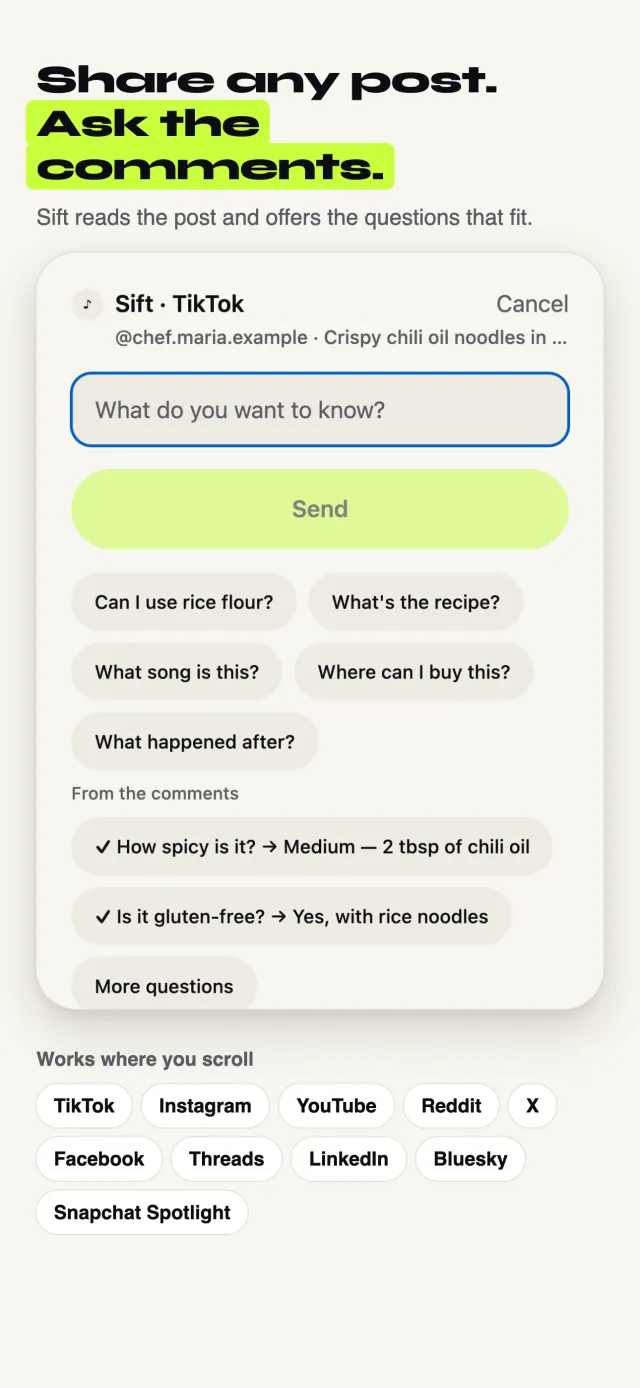
Tap Share on the TikTok, Instagram or YouTube
Use the normal Share button, the same one you use to send a post to a friend.
Pick Sift
The first time, swipe the row of apps to the end, tap More, and turn Sift on. After that it sits in your share row.
Tap “Where is this?”
Sift offers the questions that fit the post. Tap one, or type your own.
Keep scrolling
Sift reads the caption, the post info and the comments, and sends one notification with the place and Apple Maps and Google Maps links.
The free way, no app needed
It takes longer, but it works. Try these in order.
Check the caption and tag
Look for a location pin above the caption or under the username, and tap “more” to read the full caption. Hashtags often name the city.
Read the comments
Someone usually asks “where is this?”. Open the replies. Locals often answer, sometimes with the exact spot.
Use Google Lens
Take a screenshot of a clear frame with a landmark, a mountain or a sign. Open it in Google Lens or the Google app and tap the lens button. It finds matching photos of famous places.
Read the signs
Shop names, street signs, license plates and the language people speak all narrow it down. Search a shop name with the word “location”.
Check it on a map
Once you have a guess, open it in Google Maps or Apple Maps and look at photos or Street View to make sure it matches.
Good to know
- Drone videos of famous places are the easiest. Small streets with no signs are the hardest.
- Ask about the place, not the people in it.
When Sift can’t help: Sift finds public places: cities, beaches, landmarks, shops and restaurants. It won't help find where a person lives or where someone is right now, and it doesn't answer about kids.
Updated October 10, 2026