
How to find a song from a TikTok
You hear a song in a TikTok and you need it. Sometimes the sound name tells you. Often it just says “original sound”, and the comments are full of people asking the same thing. Here is how to find it.
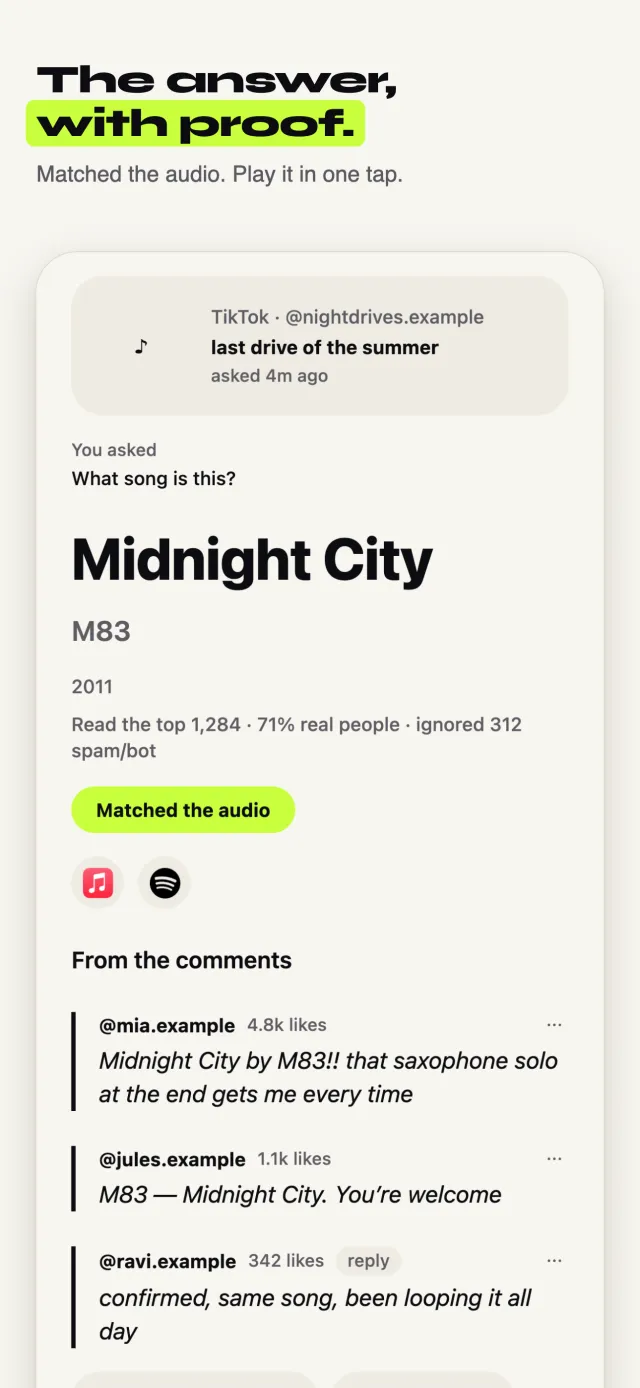
A real Sift answer
What song is this? A video on X. Sift read 300 replies.
Lights Up — Harry Styles
Four replies name it. Every other guess got fewer votes.
The fast way: ask Sift
Sift is an iPhone app that reads the comments for you. Free to try, no sign-up.
Tap Share on the TikTok
Use the normal Share button, the same one you use to send a post to a friend.
Pick Sift
The first time, swipe the row of apps to the end, tap More, and turn Sift on. After that it sits in your share row.
Tap “What song is this?”
Sift offers the questions that fit the post. Tap one, or type your own.
Keep scrolling
Sift reads the post and its comments, and checks the audio when they're not sure. You get one notification with the song, who named it, and Apple Music and Spotify links.
The free way, no app needed
It takes longer, but it works. Try these in order.
Tap the spinning record
On TikTok, the round record at the bottom right opens the sound page. If it shows a song and an artist, you're done.
Let your phone listen
On iPhone, add the Music Recognition button to Control Center. Play the TikTok out loud on another device and tap the button. The Google app's “Search a song” works too, even if you hum it.
Search a line you hear
Type a few words of the lyrics into Google, inside quotes, like “waiting in a car”. Add the word “lyrics”.
Read the comments
Scroll for comments like “song?” and open their replies. The answer is often there, buried under people asking again.
Good to know
- “Original sound” usually means the creator re-uploaded the music. The song is still out there.
- Sped-up and slowed-down versions can fool listening apps. Search the lyrics instead.
- If lots of people name different songs, the one with the most agreeing replies is usually right.
When Sift can’t help: Sift reads the comments, and checks the audio when they're not sure. If nobody in the comments knows and the audio doesn't match either, it says so plainly, shows the closest guesses, and that answer doesn't use up a free one.
Updated October 10, 2026